GOOD VS BAD UX DESIGN
What have I done?
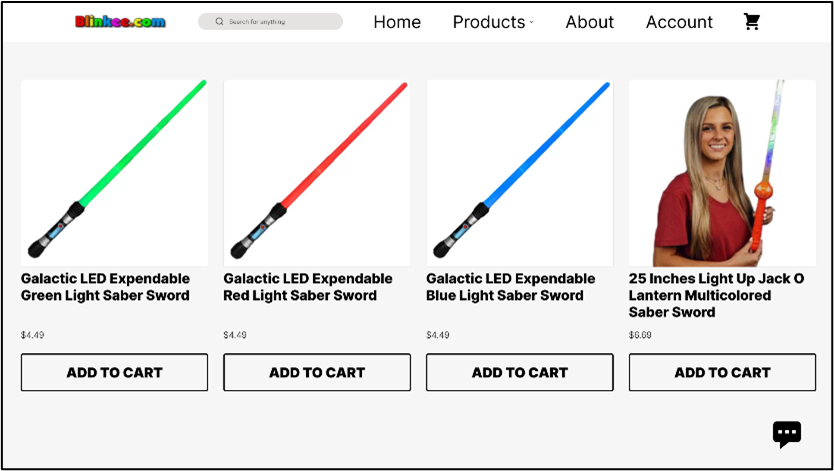
In the starting week I made the assignment of improving a bad UX and downgrading an already good UX. For improving the bad UX I chose a website called blinkee, items were not aligned to each other well and there was not consistent placement at all over the entire site. There was also an information overload both in the navigation bar as well as in the items you could shop for. So to improve this site I started with the navbar, where I deleted some double items to make more space for each navbar item, and then lined these out better. For the item cards, I removed some of the extra information and made a seperate pop up for that when you add it to cart, such as bulk price, the amount you want or wether you have a discount code. By removing these items from the item cards they became less busy and it became more easy to view the actual products. Also I alligned all the items better so that they were all spaced out evenly.
Then for the good UX that I made worse I chose for Korean Air's website. Here I deleted a bunch of the essential tools to easily navigate the website such as a search bar. I also made it impossible to switch destinations around when booking flight tickets,
this means that if you accidentally put the destinations in wrong you have to correct them by hand instead of simply switching them around.
I also made the layout and elements uglier and less easy to use by removing dividers so people do not know where one section ends and another one starts.
More information about what exactly was changed and more images can be found in the extra information document.
What have I learned?
- What heuristics of UX are and why they are important.
- I could have also improved the UI of the blinkee site instead of keeping their simple white design.